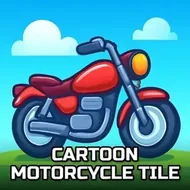
Prime Fast Motorbikes Tile
Instructions:
Use your mouse to play the game or tap on the screenDescription
Prime Fast Motorbikes Tile FAQ and Tips
So this one's a jigsaw game dressed up in motorbike gear, and honestly the combo works better than you'd expect. Twelve different bike photos to pick from, three difficulty tiers, and no timer breathing down your neck unless you decide to race yourself. It's the kind of thing you open for "just five minutes" and then look up an hour later wondering where the time went. Not flashy, not loud, just a calm puzzle grind with motorcycles as the theme instead of landscapes or cartoon cats.
Score-Boosting Tactics
- Start with the 25-piece mode if you haven't touched jigsaw puzzles in a while — it warms your brain up without wasting time.
- Sort edge pieces first, always. Corners and borders give you a frame to work inward from, and it cuts down on random guessing.
- Group pieces by color and pattern before you start connecting them; bike puzzles usually have big blocks of one color like chrome or a paint job, so this saves a ton of backtracking.
- Zoom in mentally on small details — headlights, exhaust pipes, tire treads — since those odd little shapes are your best clue when two pieces look almost identical.
- Jump to the 100-piece hard mode only once medium feels too easy; going in blind on hard can get frustrating fast.
- Take breaks between images instead of grinding all twelve in one sitting — fresh eyes catch matches tired ones miss.
How To Play
- Pick one of the twelve motorbike images from the selection screen to start a round.
- Choose your difficulty: easy at 25 pieces, medium at 49, or hard at 100 for the real test.
- Drag pieces into place using your mouse on desktop, or just tap and slide them around if you're on a phone or tablet.
- Rotate and rearrange pieces near the edges of the board to keep your workspace from turning into total chaos.
- Finish the picture to complete the round, then hop back to the menu and pick a new bike to try again.