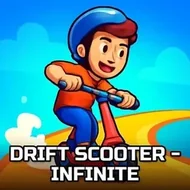
Drift Scooter - Infinite
Instructions:
mouse or arrowsDescription
Drift Scooter - Infinite FAQ and Tips
Somebody handed you a scooter, pointed you down a busy street, and said "good luck." That's basically the vibe here. Drift Scooter - Infinite is a 3D lane-weaving coin-grabber where the road never really ends, traffic keeps coming at you, and your only job is to stay upright while padding your score. It's simple on paper, but the perspective view messes with your depth perception just enough to keep you honest. One wrong guess on how far away that van is and your run's done.
Winning Strategies
The coins matter, sure, but survival is the actual game, so don't get greedy chasing every last one if it means clipping a bumper. Early on, the traffic gives you generous gaps, and that's your window to practice reading lanes before things speed up and the gaps shrink to almost nothing. Watch the pattern of oncoming obstacles rather than reacting to each one individually — after a few runs you start noticing rhythms, like certain stretches always throwing a cluster of cars followed by a clear patch. Use those clear patches to swing wide for coin lines you'd otherwise skip. Small, early corrections beat last-second panic swerves every time, since a scooter drifting hard at the wrong moment can clip something you didn't even see coming. And honestly, don't stare at the coins the whole time. Keep your eyes a little further down the road than feels natural; it buys you the half-second of reaction time that separates a decent run from a record one.
Controller & Keyboard Guide
- Steer using the mouse, dragging left or right to shift lanes smoothly.
- Use the arrow keys as an alternative if you prefer snappier, discrete lane changes.
- Left and right arrows (or mouse movement) handle all the drifting and dodging.
- No acceleration button needed — the scooter keeps rolling forward on its own, so all your attention goes to steering.
- Small, gradual mouse movements tend to work better than jerky flicks when threading tight gaps.
- Keyboard players should tap rather than hold, giving finer control near obstacle clusters.